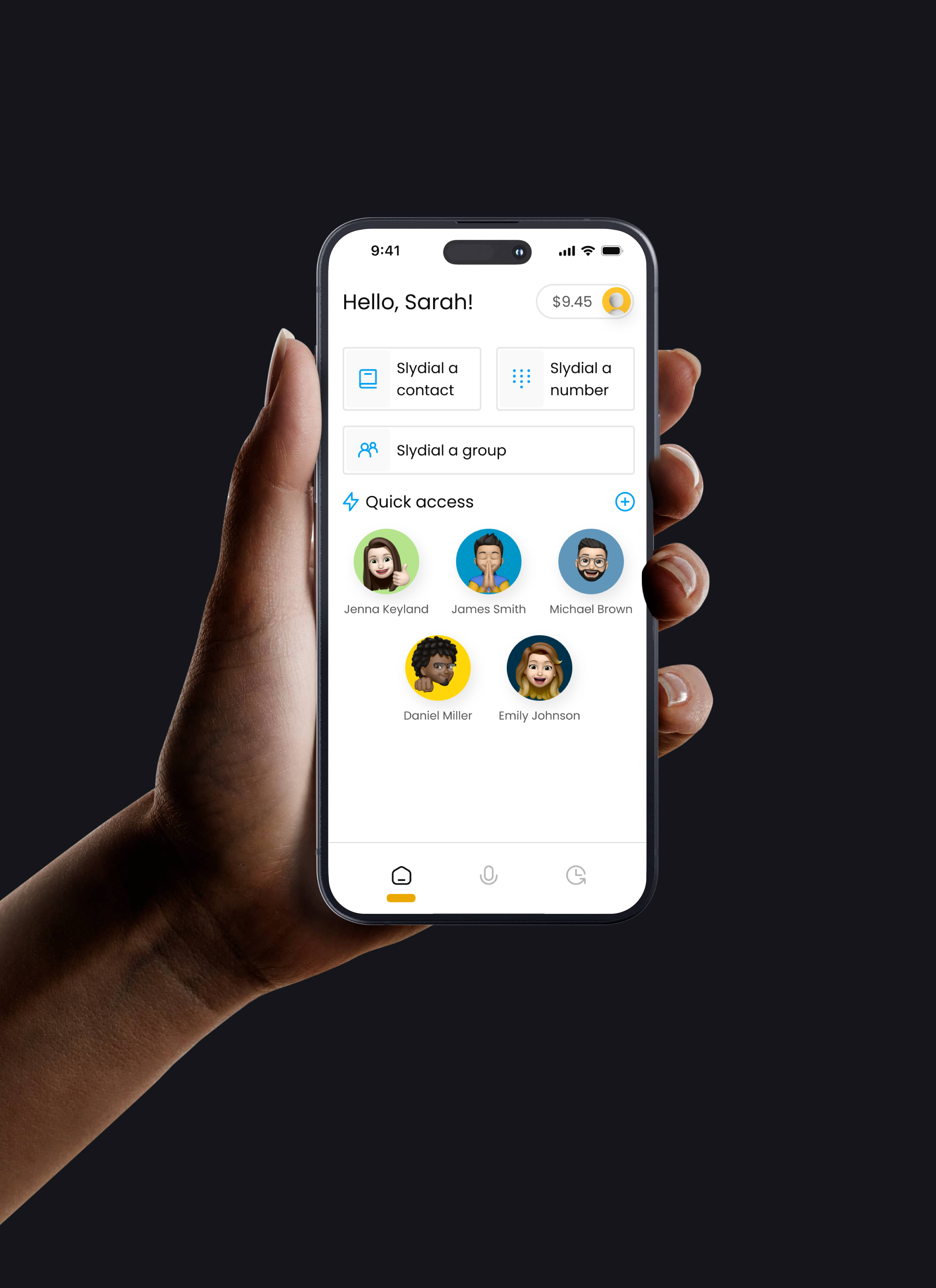
Skip the call. Go straight to voicemail.

Ready to take your communication to the next level? Let slydial help you leave your message without ringing a single phone.

Slydial in the Media

Benefits & Features

Our state-of-the-art features allow you to take your mobile communication to the next level.

Customizable Caller ID

Want a different number to appear
with your ringless voicemail? Now you can customize your caller ID from your profile page within the app.

Click2slydial

Add contacts to your online account
and use the Click2slydial feature to individually message them from your web browser.

Multi-Platform Application

Slydial seamlessly integrates with
your contacts, allowing you to send voice messages to any US mobile number with a simple touch.

Easy Sharing

With a Premium slydial subscription, you can register up to two phone numbers from which to slydial.

Group Voice Messaging

Don't leave anyone out! Sign up for
our Premium Group slydial subscription and send one voicemail to multiple phone numbers at once.

Rapid Connection

Do you love slydial?
Looking to connect even faster?
Upgrade to a Premium slydial subscription, and enjoy an ad-free experience with quicker connections!

Premium Plans

Slydial offers the Premium plans below. Plans can be purchased separately or as a package. To send prerecorded messages Group slydial subscription must be added.

Monthly

Billing automatically renews on all subscription plans.

$2.99/mo

Send unlimited live voicemails to one phone number at a time, through the slydial app.

*Does not include the ability to pre-record voicemails.

Annual

Billing automatically renews on all subscription plans.

$29.99/year

Send unlimited live voicemails to one phone number at a time, through the slydial app.

*Does not include the ability to pre-record voicemails.

Group slydial

Credits are purchased on a need be basis.

$0.10/slydial

Enjoy sending one live voicemail to one phone number, or one prerecorded voicemail to up to 10 phone numbers at once through the slydial app.

*Credits pre-purchased in $10.00 increments.

Compare our plans

Premium
Plans

Paid monthly or annually
Choose plan

Group
slydial

One time purchase
Choose plan

Slybroadcast

Deliver hundreds of messages
Learn more
Advertisement Free Calls
Customizable Caller ID
Send Recorded Messages to 10 Numbers at once
Referal bonus program
Send Recorded Messages to 10+ Numbers at once
Customer Support

Frequently asked questions

What happens once I place a slydial call? Will their phone ring?
In most cases the person you're slydialing simply receives a new voicemail alert a minute or so after you leave them a message. With some mobile phones, the recipient's phone may emit an abbreviated "half ring" before going directly to voicemail. On occasion, with some mobile carriers, you may hear a ringing sound/tone while you are waiting to be connected to the recipient's voicemail. This is not the recipient's phone ringing; this is the recipient's mobile carrier playing a ring tone while they attempt to locate the recipient.
Do I need to sign up for slydial in order to use it?
No. We do not require you to sign up for the service in order to use it. Just dial 267-SLY-DIAL (267-759-3425) and you are ready to go. However, to enjoy advanced features including slydial apps for iPhone and Android smartphones, as well as rapid connection to voicemail with NO advertising, join slydial Premium. Learn more.
Is slydial free?
Yes, we do not charge you anything to use the service. However, domestic long distance, cellular airtime minutes or additional data charges may apply. (So if you would normally get charged for calling a phone number with a "267" area code then you will get charged making a slydial call.)
If I don't want to listen to the in-call advertising, can I pay to use slydial ad free?
Yes. What you're talking about is our Premium slydial subscriptons ($2.99/mo or $29.99/year) Plans can be purchased separately or together. *To send a voicemail to up to 10 phone numbers, you must subscribe to our Premium Group slydial plan.
Can I use slydial from a landline phone?
Yes. Slydial works from any phone - landline and mobile. If you are calling from a landline phone, dial the slydial access number 267-SLYDIAL (267-759-3425), follow the prompts, and your call will be connected to the slydial service.
Can I slydial multiple people at once?
Yes! However, this feature is only available for users with a Premium Group slydial subscription. With this you can send one prerecorded voicemail to up to ten phone numbers at once. All campaigns are sent out via the slydial app. After a campaign is complete, visit the Group Reporting section to view your campaign results.

To record a voice message, open the slydial app and click Record a Message. Name your message and tap the microphone icon to begin recording. Once you are done recording, click the stop icon then click Send.

On the next page you can add up to 10 phone numbers you want to recieve your voice message. Tap Choose a contact  to add a phone number that is saved in your address book. To manually enter a number, tap Enter a number  and type a 10-digit number. When you have added all of the numbers you want to receive your message, click Send.

Visit the Group Reporting tab to view your results. Contacts with a "✔" successfully received your voice message. Contacts with an "X" did not successfully receive your voice message.
I have thousands of numbers to call, will slydial work for me?
Sure, but we have a better solution. We offer a service called slybroadcast. Slybroadcast uses the same patented direct to voicemail technology with a few additional features including a customizable caller ID, campaign scheduling and an easy to use web interface so you can send campaigns from your computer.
Does slydial work to all U.S. mobile phone?
No, there are some numbers that simply cannot be 'slydialed'. For example, you cannot slydial someone who has a prepaid mobile phone, does not have a voice-mailbox on his/her phone, a full voice-mailbox, or a third-party voicemail service (e.g. Google Voice, Youmail). Additionally, Google Voice numbers or other VoIP numbers cannot be slydialed. On some occasions, we temporarily may not be able to complete your call due to things like network congestion, network interoperability or local number portability (LNP).
What caller ID appears on the recipient's voicemail-box?
Slydial never blocks your caller ID, so your telephone number will always appear on the other person's phone. The number you enter into the slydial app must be the same as your native cell phone number. If you enter a different phone number into the app, this will not change your Caller ID. The app will not work if an incorrect phone number has been entered in to your app.
Still have questions?

We'd love to hear from you. Call our friendly sales team
at (617) 399-9980 or email us at slydial@mobile-sphere.com.

Contact us